macOS menu bar app
Stealth hides private Mac apps while you present, demo, record, or screen share. One click to protect Slack, Messages, Mail — even single browser tabs.
Free 7-day trial · One-time purchase · Launch price — going up to $14.99 · No account required
See it in action
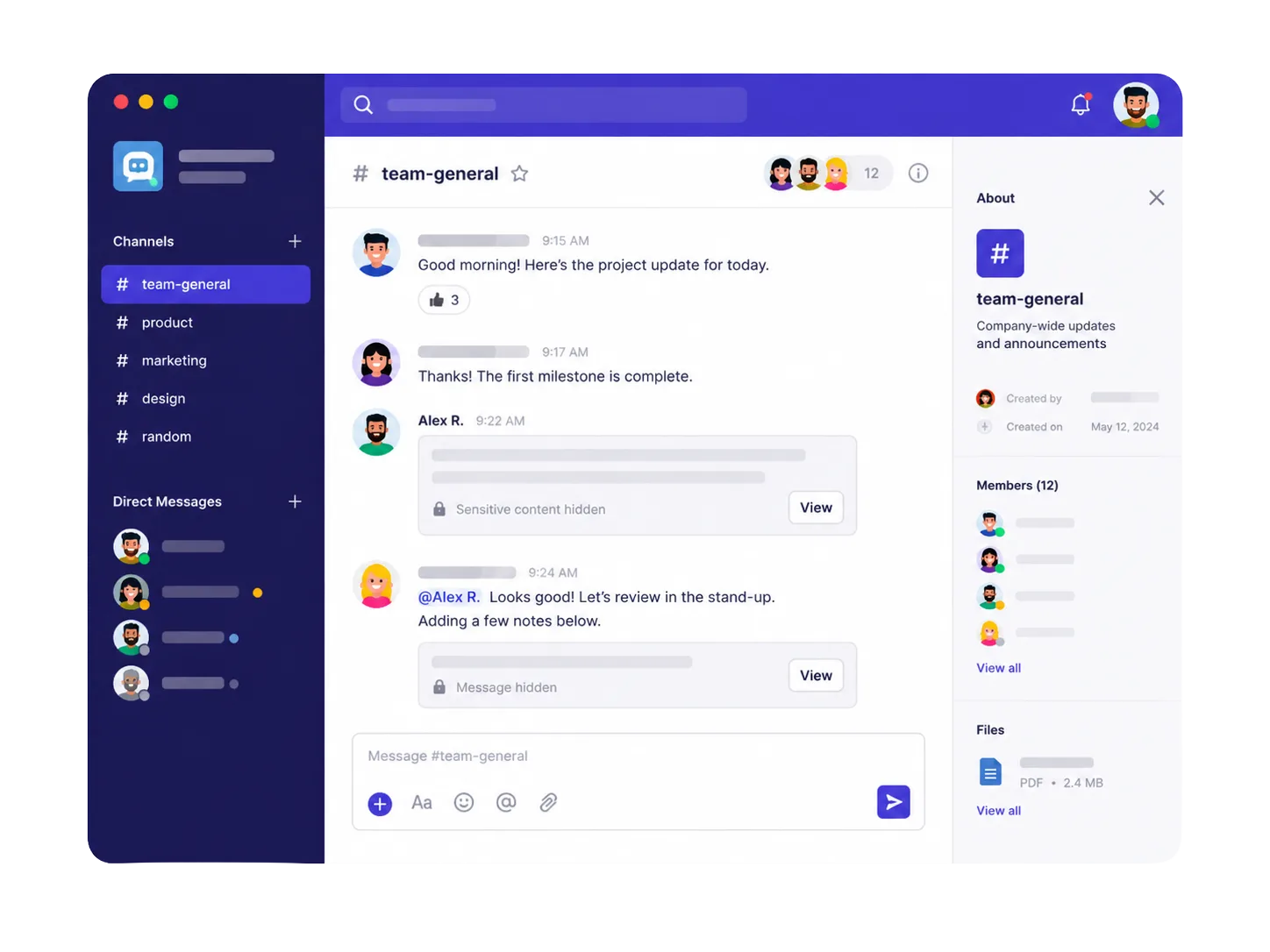
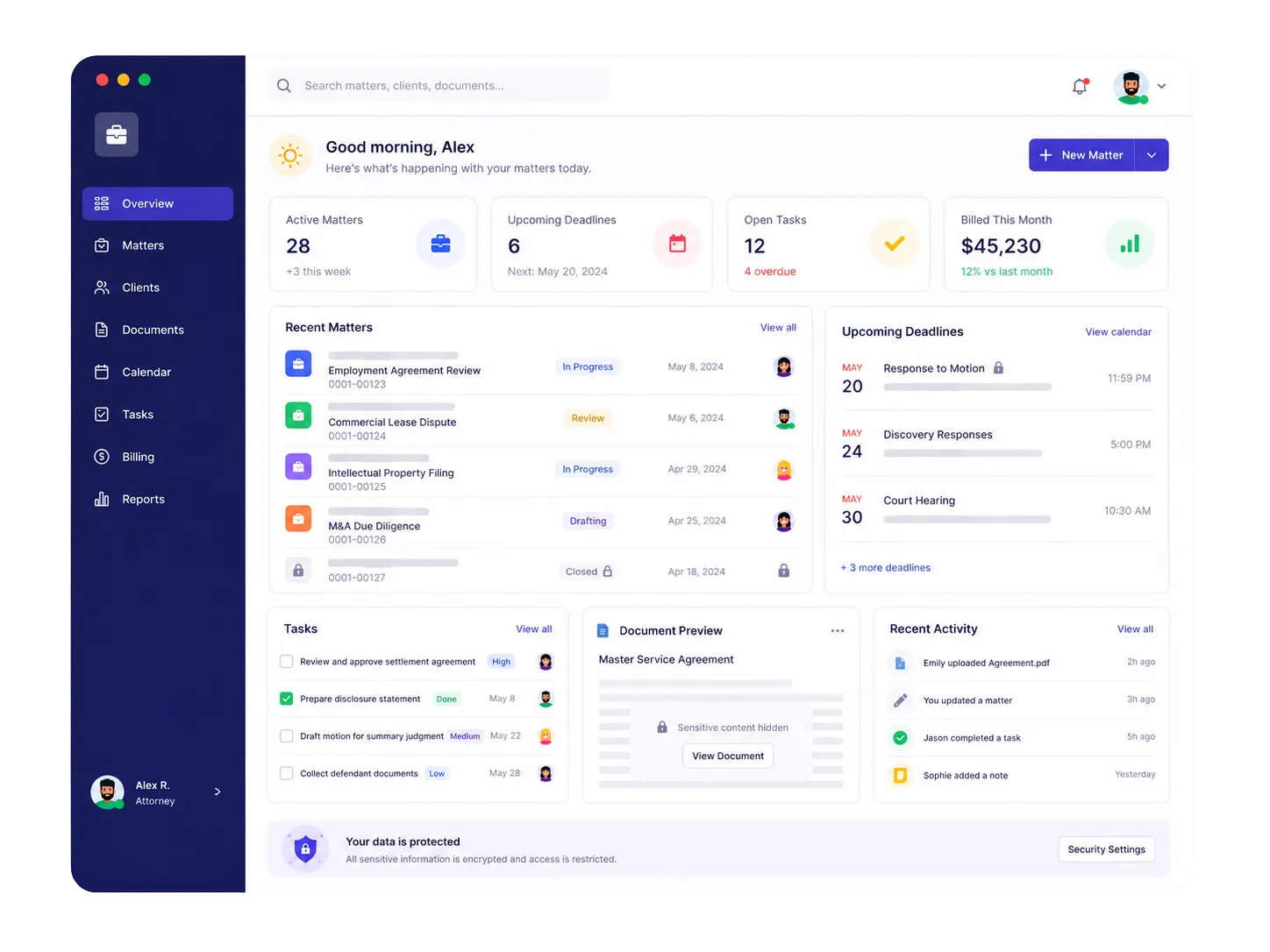
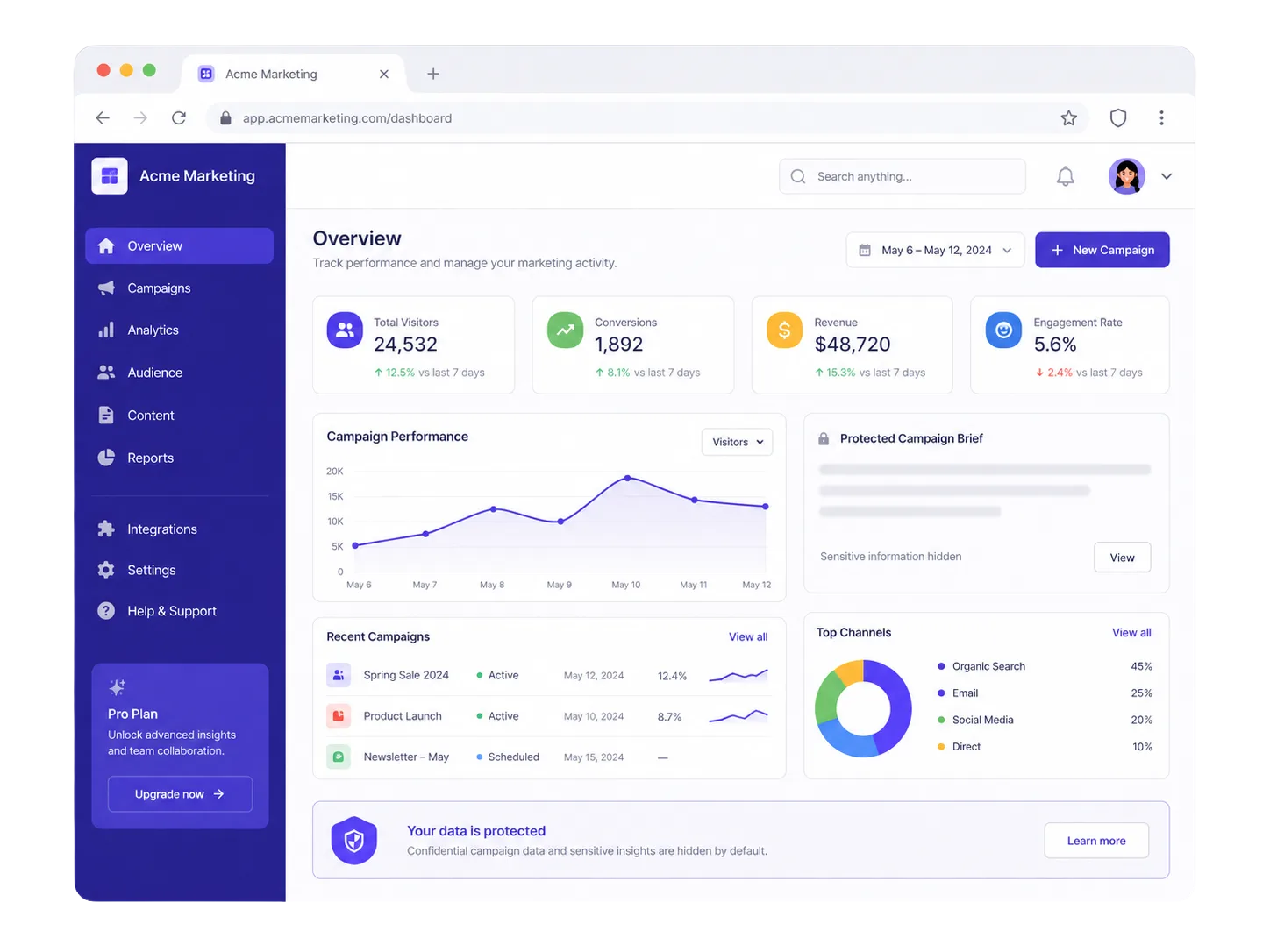
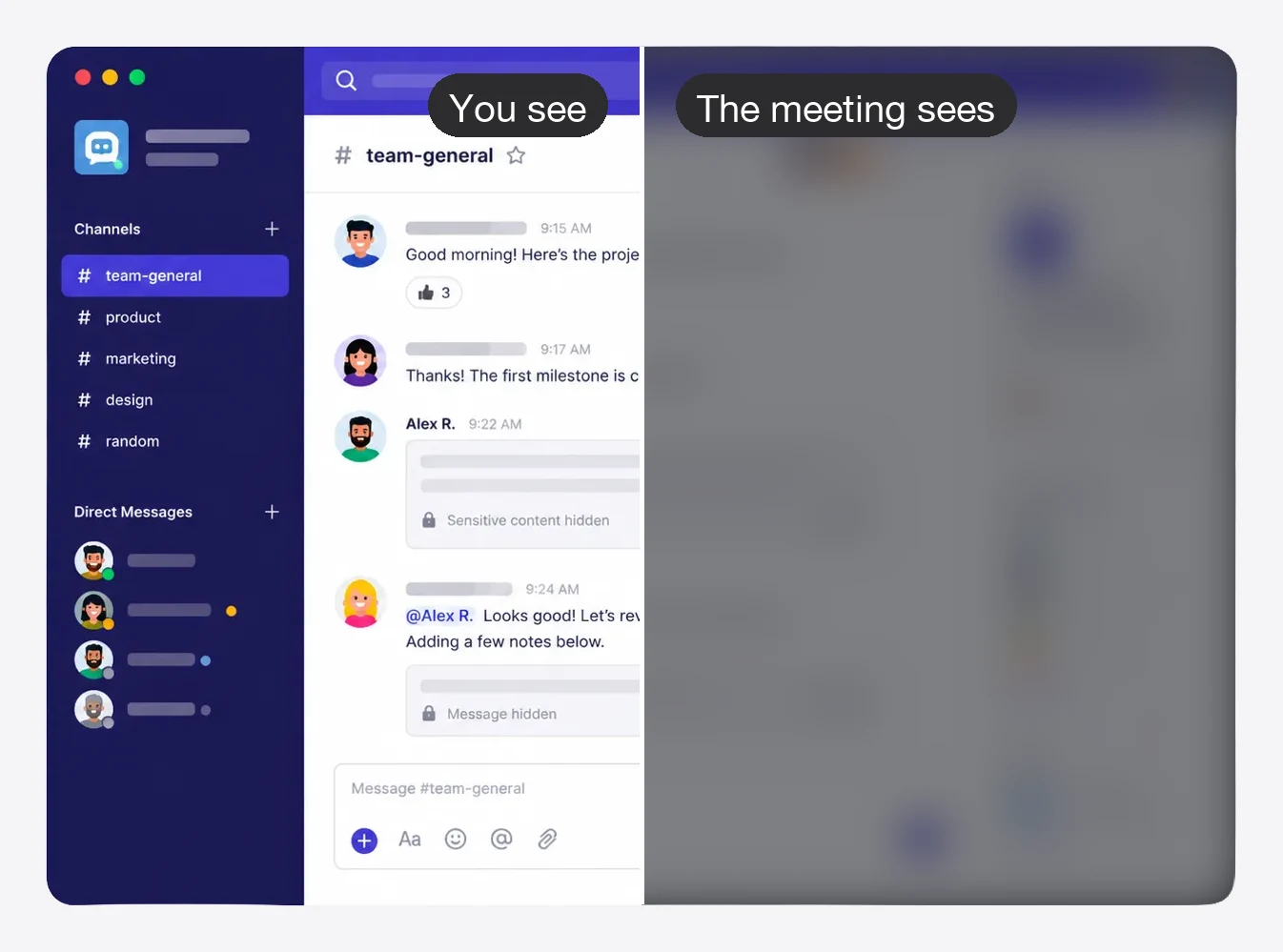
Team chat, client dashboards, campaign data — anything you'd rather not broadcast gets frosted over the moment Stealth is on.
The blur is applied on your real screen — every screen share, recording, and Loom sees it too.
Who it's for
Built for anyone who screen shares regularly and has private windows they'd rather keep private.
Blur Slack before a customer demo. No more awkward DMs appearing mid-presentation.
Record demos, tutorials, or Looms without worrying what's in your inbox.
Personal texts stay personal even when your screen is shared with the whole team.
Gmail, payroll, banking — frost just the tab content while the rest of the browser stays clickable.
Consultants, lawyers, and finance teams — keep sensitive client data off the shared screen.
No more pre-call scramble to close apps and tidy your desktop. Toggle Stealth instead.
How it works
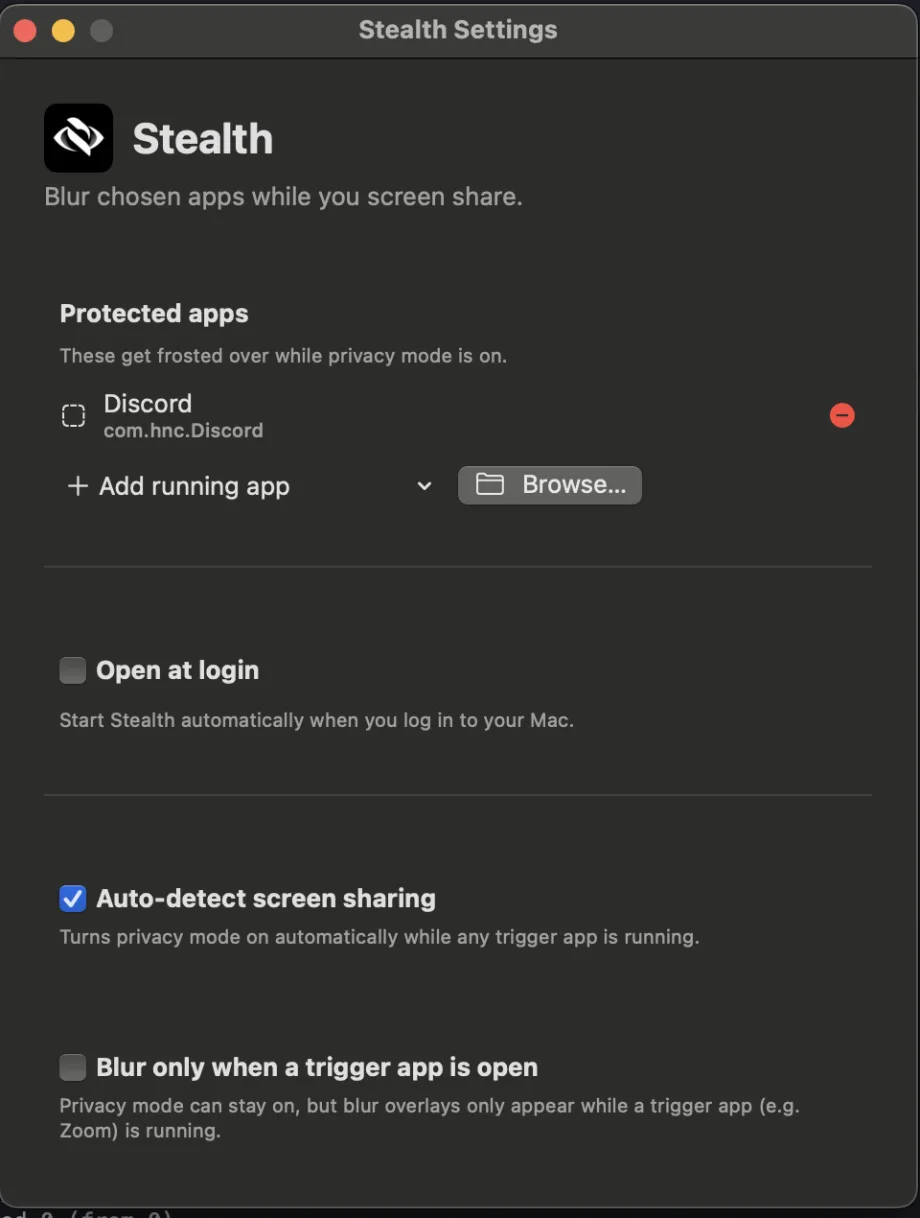
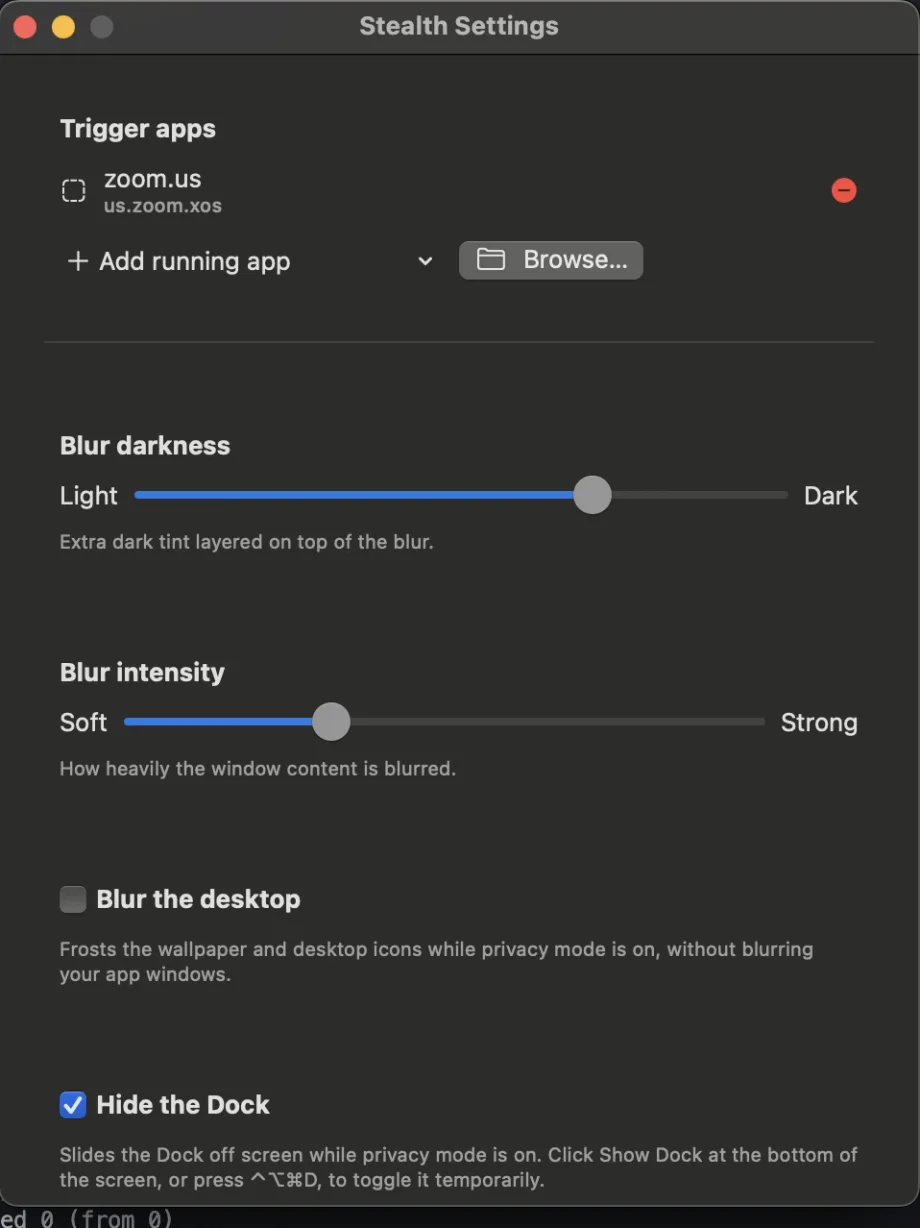
Open Stealth Settings and add the apps you want to protect — Slack, Messages, Mail, Calendar, or anything else.
Click the menu bar icon or press ⌃⌥⌘B. Protected apps are instantly blurred.
Screen share, record, or demo with confidence. Viewers see a frosted blur where your private apps are.
Global hotkeys, always available
Toggle privacy mode with ⌃⌥⌘B, hold to peek at blurred content, or draw custom blur regions anywhere on screen — all from the keyboard.
Per-window reveal
Need one window back mid-call? Click Reveal on that window only — everything else stays blurred.
New
Your inbox is one ⌘-Tab away from the whole meeting seeing it. Stealth can frost just the page content — the tab bar, toolbar, and your other tabs stay visible and clickable.
Simple rules. Add keywords like mail.google.com or payroll, or pick from suggested tags for email, finance, work, and social.
Blur first, reveal if safe. On every tab switch the page blurs instantly, then lifts only once the tab is confirmed safe — sensitive content never flashes on screen.
Works in Chrome, Safari, Edge, and Brave. Reveal is tracked per tab, so unblurring one sensitive tab doesn't expose the next.
Built for privacy
Fully local. Stealth runs entirely on your Mac. No cloud, no sync, no external processing.
No screen upload. Your screen contents are never uploaded anywhere. The blur happens locally.
No account required. Download, run, and use Stealth without creating an account or signing in.
Minimal permissions. Stealth reads window positions — and tab addresses only if you enable tab blurring. Never page contents.
Zoom, Google Meet, Microsoft Teams, Loom, QuickTime, Cleanshot, OBS, and any other tool that captures your screen — Stealth works at the display level, not the app level.
Simple pricing
No subscription. No monthly fees. Buy once, use as long as you like.
$7.99 while in launch — the price becomes $14.99 after.
One-time purchase · Free 1.x updates
Not ready to buy? Try it free for 7 days first. Download free →
Questions
Yes. Add Zoom as a trigger app in Settings and Stealth activates automatically when a Zoom call starts.
Yes. Add Google Chrome or Microsoft Teams as trigger apps — Stealth works with any screen sharing tool.
Yes. Stealth operates at the display level, so it works with any app that captures your screen — Loom, QuickTime, OBS, Cleanshot, and more.
No. Stealth runs entirely on your Mac. Your screen contents are never uploaded or processed by any server.
Stealth needs Accessibility permission to place overlay windows precisely. If you enable browser tab blurring, it also asks for Automation permission to read the active tab's address — nothing is stored or sent anywhere.
Yes. In Chrome, Safari, Edge, and Brave, Stealth blurs just the page content when the active tab matches your rules (like mail.google.com or payroll) — other tabs and the toolbar stay usable. You can also blur an entire browser as a protected app.
If you share a single window (not your whole screen), Stealth's blur overlays won't appear in that share — they only show when sharing your full display.
Email [email protected] with your order number and we'll reset your activations manually, usually within a few hours.
Stealth requires macOS 13 Ventura or later and runs natively on both Intel and Apple Silicon Macs.
Not yet. Team plans are coming soon. Email [email protected] to get on the waitlist.
Yes. $7.99 is the launch price. Once the launch period ends, new licenses cost $14.99. If you buy now, you pay once and keep it forever — including free 1.x updates.
Free for 7 days, then $7.99 once — before the price goes up to $14.99.